
Why Choose Automation Computers for Global Sourcing?
Global sourcing is changing from a price-first exercise into a resilience decision. An Automation Computer can connect machines, sensors, and production software across different factories. It also gives procurement teams clearer evidence about performance, compatibility, and maintenance needs.
The International Federation of Robotics reported 541,302 industrial robots were installed worldwide in 2023. More than 4.2 million robots were operating globally. These figures show stronger demand for dependable industrial computing infrastructure. Deloitte’s 2024 Smart Manufacturing and Operations Survey found that 86% of manufacturers consider smart manufacturing important for competitiveness during the next five years. That expectation creates pressure. Hardware must survive vibration, dust, heat, and long production cycles. A low-cost computer may become expensive when one failed unit stops a line.
Andrew Ng, a leading artificial intelligence and automation expert, said, “AI is the new electricity.” His statement explains why computing capability now matters beyond the factory floor. A properly selected Automation Computer can support edge analytics, machine vision, predictive maintenance, and secure data exchange. It can reduce latency when cloud access is unreliable. It can also simplify standardization across suppliers and regions.
Yet global sourcing is not automatically better. Some buyers focus too heavily on unit price. That is a weakness. Firmware support, replacement availability, certifications, and integration testing deserve equal attention. Reports provide useful direction, but each factory remains different. The strongest sourcing decision combines verified specifications, supplier experience, and a realistic total-cost review. Mistakes still happen. Careful validation only makes them less expensive.
What Automation Computers Are and How They Support Industrial Operations
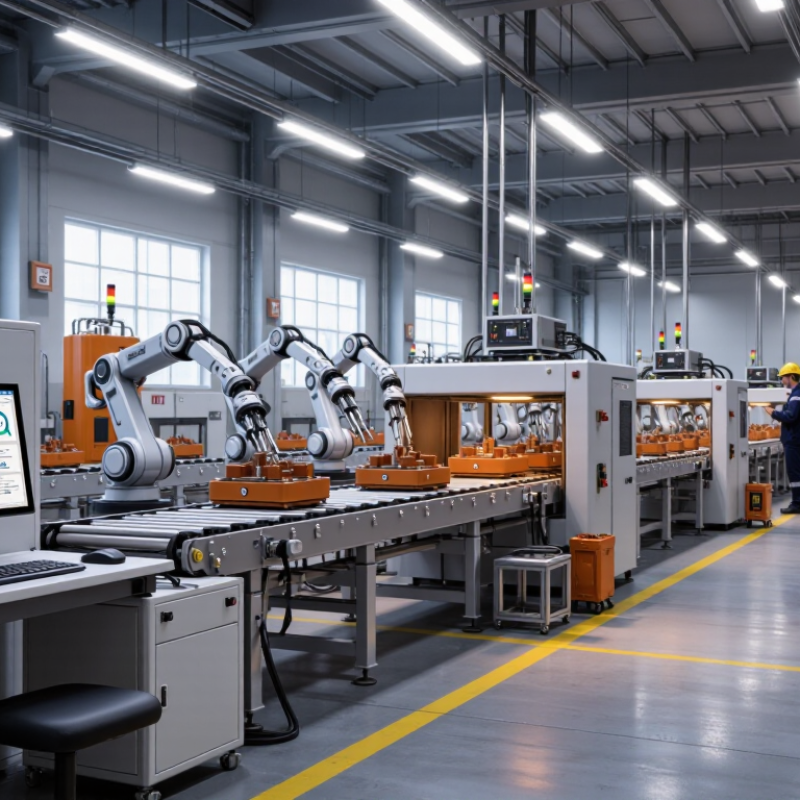
Automation computers are industrial computing systems designed to control, monitor, and coordinate factory equipment. They connect with sensors, programmable controllers, cameras, drives, and production software. Unlike office computers, they often use rugged enclosures and fanless cooling. This design helps them operate near dust, vibration, heat, and electrical noise.
In daily operations, an automation computer can collect temperature readings every few seconds. It can display machine status on a control panel and record alarms for later analysis. A technician may review a pressure trend before a pump fails. These records support maintenance decisions and improve production visibility. Reliable communication ports also help connect older equipment with newer control systems.
For global sourcing, buyers should examine operating temperature, storage options, mounting methods, and communication protocols. Power requirements matter too, especially in facilities with different electrical standards. Certifications and documentation reduce installation risks across countries. I have seen projects delayed because a small connector detail was overlooked. No system is perfect. A replacement plan is still necessary. Long-term support, spare parts availability, and clear testing procedures can protect operations when conditions change. Even strong hardware may underperform if software settings, cable shielding, or airflow are poorly managed.
Why Choose Automation Computers for Global Sourcing? - What Automation Computers Are and How They Support Industrial Operations
| Evaluation Dimension | What an Automation Computer Provides | Typical Industrial Requirement or Range | Operational Value for Global Sourcing |
|---|---|---|---|
| Definition | An industrial computer designed to collect data, execute control software, visualize processes, and communicate with automation equipment. | Designed for continuous operation in manufacturing, energy, transportation, utilities, and infrastructure environments. | Creates a stable computing platform for programmable controllers, supervisory systems, industrial gateways, and edge applications. |
| Operating Temperature | Industrial models are available with extended-temperature components and thermal designs. | Common extended ranges include approximately -20°C to 60°C; the exact range depends on configuration and installation conditions. | Supports deployment in factory floors, electrical cabinets, outdoor enclosures, and other locations without office-style climate control. |
| Vibration and Shock Resistance | Ruggedized chassis, secure mounting, solid-state storage, and fanless designs can reduce sensitivity to vibration and mechanical shock. | Qualification is commonly referenced against industrial test methods such as IEC 60068-2 series procedures; ratings vary by model. | Improves reliability near motors, conveyors, machine tools, pumps, and mobile equipment. |
| Fanless Thermal Design | Heat is dissipated through the chassis or heat sink instead of relying on an internal cooling fan. | Useful where dust, oil mist, fibers, or limited maintenance access make fan filters difficult to service. | Reduces moving parts, airborne contaminant intake, and routine maintenance requirements. |
| Industrial Connectivity | Provides combinations of Ethernet, serial ports, USB, digital I/O, fieldbus interfaces, and expansion slots. | Interfaces may support protocols such as Modbus TCP, Modbus RTU, EtherNet/IP, PROFINET, OPC UA, or MQTT, subject to software and hardware compatibility. | Makes it easier to integrate equipment from different production lines and suppliers. |
| Real-Time Data Processing | Processes machine signals, alarms, production data, and sensor information close to the equipment. | Edge processing can reduce dependence on continuous cloud connectivity for local monitoring and control tasks. | Shortens response paths and helps maintain operations when wide-area network access is interrupted. |
| Storage Reliability | Industrial computers may use solid-state drives, removable storage, or redundant storage configurations. | Solid-state storage has no moving drive heads and is generally better suited to vibration than mechanical hard disk drives. | Protects operating-system images, machine logs, recipes, and historical process data in demanding environments. |
| Expansion and Customization | Modular designs can accommodate additional network cards, serial interfaces, digital I/O, storage, or graphics hardware. | Expansion options depend on form factor, slot type, power budget, operating temperature, and enclosure space. | Allows one computer platform to be adapted for different machines, plants, and automation architectures. |
| Mounting Options | Available industrial formats include panel-mount, wall-mount, rack-mount, DIN-rail, and embedded configurations. | Selection is based on cabinet dimensions, access requirements, airflow, cable routing, and protection level. | Simplifies installation across different production sites and machine layouts. |
| Environmental Protection | Enclosures may be designed to provide protection against dust, water, and accidental contact when correctly installed. | Ingress protection is expressed through IP ratings under IEC 60529; the rating applies to the tested enclosure and installation conditions. | Helps buyers match equipment protection to factory, outdoor, washdown, or control-cabinet requirements. |
| Visualization and HMI | Runs human-machine interface software, dashboards, alarm panels, production displays, and maintenance tools. | Display output, touchscreen support, graphics performance, and operating-system compatibility must match the HMI application. | Gives operators direct access to machine status, alarms, recipes, trends, and production information. |
| Cybersecurity Readiness | Supports secure boot features, access control, network segmentation, patch management, logging, and encrypted communications when properly configured. | Industrial cybersecurity planning should consider IEC 62443 principles, asset inventory, least privilege, backups, and controlled remote access. | Provides a more consistent foundation for protecting connected machinery and production networks. |
| Power and Continuity | Industrial power inputs may support common DC or AC supply arrangements, with protection against selected electrical disturbances. | Input voltage, surge protection, grounding, UPS support, and power-loss behavior must be verified for the installation. | Reduces unexpected shutdown risks and helps preserve production data and machine states. |
| Global Compliance Review | Documentation may include electrical safety, electromagnetic compatibility, environmental, and market-access information. | Typical review areas include CE-related requirements for applicable markets, FCC requirements for applicable devices, RoHS, and relevant electrical safety standards. | Reduces import, installation, and approval risks when sourcing for multiple countries. |
| Lifecycle and Availability | Industrial platforms are often selected for long service life, controlled revisions, spare-part planning, and configuration consistency. | Buyers should confirm product-change notification procedures, replacement compatibility, operating-system support, and spare-unit availability. | Improves maintainability and reduces the risk of unplanned redesigns across global facilities. |
| Total Cost of Ownership | Considers purchase price together with installation, software, maintenance, energy use, downtime, spare parts, and replacement effort. | A higher initial cost may be justified when the system delivers longer service life, easier maintenance, or lower failure exposure. | Helps global procurement teams compare solutions using operational impact rather than hardware price alone. |
Note: Specifications and compliance requirements vary by model, configuration, installation environment, and destination market. Always verify the supplier’s current technical documentation before purchase.