7 Tips for Choosing an Industrial TFT LCD Display
Choosing an industrial display is not simply a matter of selecting the brightest screen. In real production environments, a display may face dust, vibration, temperature changes, gloves, and constant operation. Industrial Tft Lcd technology must therefore match the machine, workspace, and operator—not just the product brochure.
This guide explores seven practical tips for making a dependable choice. It considers screen size, resolution, brightness, viewing angle, touch technology, interface compatibility, and environmental protection. A display mounted beside a cutting machine may need a sealed front panel and glove-friendly touch control. A panel used outdoors may require higher brightness and careful thermal planning. Small details matter.
Experience shows that specifications can be misleading when viewed alone. A higher resolution does not automatically improve usability. A brighter backlight can also create heat, glare, and shorter service life. No checklist is perfect. Even experienced buyers sometimes overlook cable routing or future replacement needs. That is why testing sample units under realistic conditions remains valuable. Confirm operating temperatures, response behavior, connector placement, and long-term supplier support before approval. Reliable documentation and consistent quality control provide stronger evidence than attractive marketing claims. With a careful, application-focused approach, the right Industrial Tft Lcd can improve visibility, reduce operator errors, and support stable equipment performance for years.
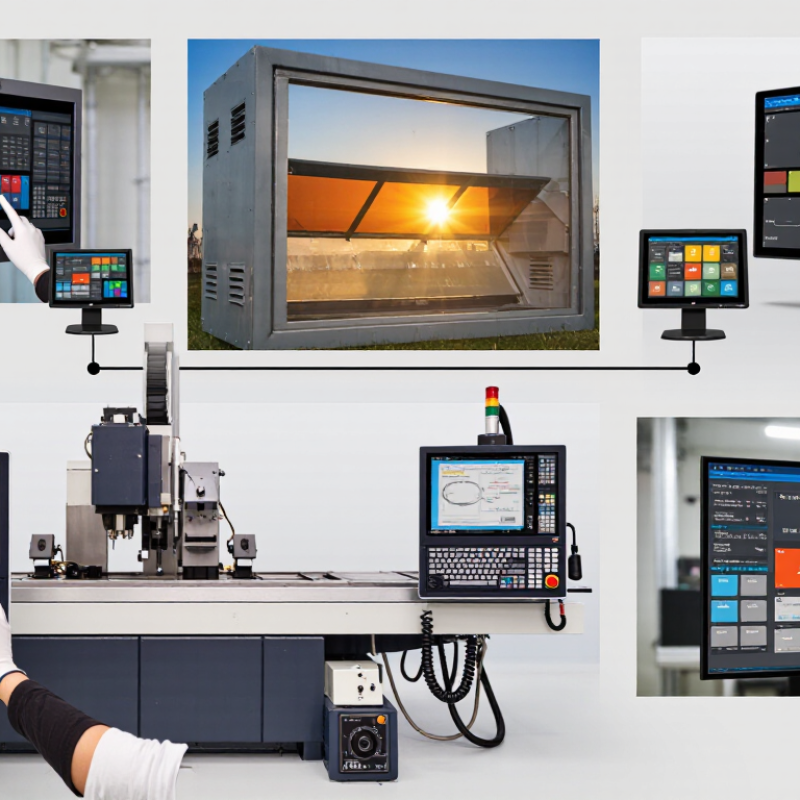
Define the Display’s Industrial Operating Environment
7 Tips for Choosing an Industrial TFT LCD Display
Define the Display’s Industrial Operating Environment
Industrial TFT LCD selection starts with the environment, not the screen size. A display near a furnace may face radiant heat, even when room temperature seems acceptable. Record the actual temperature range during startup, operation, and shutdown. Sudden changes can create condensation inside the enclosure. That risk is easy to underestimate.
Dust and moisture also need careful attention. A packaging line may release fine powder that settles behind the front bezel. Outdoor equipment can receive direct sunlight, rain, and reflected glare. In these areas, check sealing requirements, surface brightness, viewing angle, and anti-glare performance. Chemical vapors deserve attention too. Cleaning fluids, oil mist, and solvents may damage unsuitable surface coatings. Do not rely only on a general “industrial grade” label.
Mechanical conditions matter just as much. Pumps, engines, and conveyor systems can produce continuous vibration. A weak mounting structure may fail before the LCD itself. I have seen installation plans focus on the panel while ignoring cable movement and connector strain. That was a costly oversight. Consider shock, vibration frequency, mounting direction, and service access. Operators may use gloves, so test touch response under real working conditions. Control-room lighting can also change throughout the day. A display that looks excellent indoors may become unreadable beside a bright loading bay. Field testing is imperfect, but it often reveals problems that specifications miss.
Match Screen Size, Resolution, and Viewing Requirements
7 Tips for Choosing an Industrial Tft Lcd Display
Match Screen Size, Resolution, and Viewing Requirements
Screen size should follow the operator’s distance, not a catalog trend. A 10.1-inch panel may suit a compact control cabinet. A 15.6-inch screen offers clearer dashboards from roughly one meter away. Measure the enclosure first. Leave space for bezels, cables, and gloved hands. MarketsandMarkets estimated the industrial display market at about USD 5.2 billion in 2023, with continued growth through 2028. That growth does not make every large screen practical.
Resolution must support the smallest useful detail. A 10.1-inch display at 1280 × 800 pixels provides approximately 149 pixels per inch. A 15.6-inch 1920 × 1080 panel provides about 141 pixels per inch. More pixels are not always better. They can shrink labels and increase processing demands. Test the actual interface at the operator’s normal distance. The first choice is often wrong.
Viewing conditions deserve equal attention. Record ambient light, glare sources, viewing angles, and typical operating hours. For bright production areas, 800 to 1,500 nits may be more suitable than a standard office panel. Check whether contrast remains readable from the side. Industrial human-factors guidance, including ISO 9241-307 principles, supports evaluating legibility, pixel defects, and visual consistency. Touch operation needs separate testing. Gloves, moisture, and vibration can change the result. I would not trust a datasheet alone. A short on-site trial may reveal reflections that laboratory measurements miss.
Evaluate Brightness, Contrast, and Touchscreen Performance
7 Tips for Choosing an Industrial TFT LCD Display
Brightness, contrast, and touchscreen response determine whether an industrial display remains usable under pressure. Check brightness in nits, not visual impressions. Indoor equipment may need 500 nits, while sunlight can require 1,000 nits or more. Test the screen beside a window at different angles. Reflections often reveal problems that laboratory numbers hide. Strong contrast keeps alarms, graphs, and small labels readable. However, excessive brightness can cause eye strain in dark control rooms.
Review the contrast ratio under realistic settings. Ask for measurements with the backlight operating at its intended level. A display may advertise impressive contrast, yet lose detail when viewed from the side. Viewing angle matters on shared operator panels. Also inspect color consistency across the screen. Uneven corners can affect inspection tasks. Small differences become obvious after hours of use.
Touch performance requires more than a simple tap test. Try gloved fingers, damp fingertips, and repeated presses near the edges. Projected capacitive touch can feel smooth, but thick protective glass may reduce sensitivity. Resistive touch can work well with gloves, though it may require firmer pressure. Check response time, calibration stability, and accidental-touch prevention. In field evaluations, we sometimes overvalue perfect laboratory speed. A slightly slower interface may prove more reliable during vibration, dust, or rushed operation. Keep a sample running for several hours before approval. Short demonstrations can be misleading.
Check Durability, Interfaces, and Long-Term Reliability
7 Tips for Choosing an Industrial TFT LCD Display
Tip 1: Check the operating temperature range. A panel beside a furnace needs more than office specifications. IEC 60068-2-14 defines thermal-change testing methods for electronic equipment. Tip 2: Examine vibration and shock resistance. IEC 60068-2-6 provides vibration test procedures. Tip 3: Confirm the enclosure rating. IP65 protection can resist dust and water jets, but not immersion. Read the exact test conditions.
Tip 4: Match interfaces to your equipment. LVDS, HDMI, DVI, and MIPI support different cable lengths and signal needs. Tip 5: Review brightness and readability under real lighting. A 1,000-nit screen may improve sunlight visibility, but it can increase heat and power consumption. Tip 6: Ask about touch performance with gloves, moisture, and repeated pressure. Small details matter. I once saw a bright display fail because its connector loosened during machine vibration.
Tip 7: Investigate long-term availability. MarketsandMarkets’ 2024 Industrial Display Market report forecasts high-single-digit growth through 2029, driven partly by factory automation and replacement demand. Growth does not guarantee stable components. Request a product-change notice policy, spare-panel plan, and tested MTBF data. Treat MTBF carefully; it is a statistical estimate, not a promise. Check burn-in procedures, backlight replacement options, and repair support. The right display should survive the installation environment, not merely pass a showroom demonstration.
7 Tips for Choosing an Industrial TFT LCD Display
Check durability, interfaces, environmental performance, serviceability, and long-term reliability before selecting an industrial TFT LCD display.
Nominal Signaling Rates of Common Interfaces
The chart compares published maximum link rates for widely used interface standards. Actual image bandwidth depends on encoding, resolution, refresh rate, color depth, cable quality, and system implementation.
- Verify the required IP protection level under IEC 60529 for dust and water exposure.
- Check the specified operating and storage temperature ranges for the installation site.
- Confirm shock and vibration performance against the relevant IEC 60068 test methods.
- Evaluate brightness, contrast, viewing angle, and sunlight readability for the environment.
- Match the display interface to the required resolution, refresh rate, and cable distance.
- Confirm touch performance with gloves, moisture, chemicals, and protective covers.
- Review product lifecycle, spare-unit availability, connector robustness, and long-term support.
